Lollipop Call - Call Screen1.4.3
Publisher Description
New:-
Option to disable lollipop call on your home screen
12 languages added. Now use the app in your language.
Translated by Google Translate. If you found any mistake, please report. And help us to correct.
More languages are coming soon.
Try free app:-
https://play.google.com/store/apps/details?id=com.bluepea.lollipopcall
Now you can use the power of android.
Customise you incoming call screen to lollipop style banner.
A great Call Screen Replacement, with Android Lollipop Features.
Now it can happen through this app.
Features :-
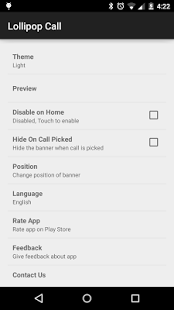
- Banner on any screen. Less distracting for games and other apps
- Relocate the banner to any position according to your convenience
- Change the theme with your mood
- Disable lollipop call on home screen
- Multi Language support
Special Thanks
Mami Andriamanantena - French Translation
Ali Apaydın - Turkish Translation
Audun Pettersen - Norwegian Translation
Pivot - Japanese Translation
If you want to help us translating the app, you can contact us.
This app is working on most of the android devices.
But if you are getting any problem then notify us at
bluepeatechnologies@gmail.com
About Lollipop Call - Call Screen
The company that develops Lollipop Call - Call Screen is BLUEPEA TECHNOLOGIES. The latest version released by its developer is 1.4.3. This app was rated by 1 users of our site and has an average rating of 4.0.
To install Lollipop Call - Call Screen on your Android device, just click the green Continue To App button above to start the installation process. The app is listed on our website since 2015-03-21 and was downloaded 89 times. We have already checked if the download link is safe, however for your own protection we recommend that you scan the downloaded app with your antivirus. Your antivirus may detect the Lollipop Call - Call Screen as malware as malware if the download link to com.bluepea.lollipopcallup is broken.
How to install Lollipop Call - Call Screen on your Android device:
- Click on the Continue To App button on our website. This will redirect you to Google Play.
- Once the Lollipop Call - Call Screen is shown in the Google Play listing of your Android device, you can start its download and installation. Tap on the Install button located below the search bar and to the right of the app icon.
- A pop-up window with the permissions required by Lollipop Call - Call Screen will be shown. Click on Accept to continue the process.
- Lollipop Call - Call Screen will be downloaded onto your device, displaying a progress. Once the download completes, the installation will start and you'll get a notification after the installation is finished.
Program Details
System requirements
Download information
Pricing
Version History
version 1.4.3
posted on 2015-03-21
Version 1.4.3,- Now change the position of banner while incoming call.,- Hide the banner option when call is picked,Version 1.4.2,- Bug Fixed for unsaved phone number,Version 1.4.1,- More Bug Fixes,Version 1.4.0,- Contact Photo not displaying in some devices - Bug Fixed,- Disable on Home not working on some devices - Bug Fixed,Version 1.3.9,- Arabic Language Translation,Version 1.3.8,- More languages added (Japanese, Norwegian, Turkish),Version 1.3.7,- Bug fixes
